

Connections: Rate Limits
Overview
Talkdesk Connections enforces a rate limit on action executions to ensure consistent performance across all accounts. Knowing this limit helps design automations and integrations that operate reliably within the platform's boundaries.
Default Rate Limit
The default rate limit for Connections action executions is 50 requests per second (req/s) per account.
This limit applies to all action executions triggered through Connections, regardless of the trigger source (Studio flow, Automation, or direct API call).
What Happens When the Limit is Exceeded
When an account exceeds the rate limit, Connections returns a 429 Too Many Requests response for the affected requests. The action execution is marked as failed.
Note: A 429 error will appear in the Connections Executions Dashboard under Execution Status Code. It will not surface a descriptive error message at the automation level. The action will be marked as failed.
Common scenarios that may lead to rate limit errors:
- High-volume dialer campaigns with multiple automations triggered simultaneously.
- Multiple concurrent automations executing actions against the same connection.
- Burst traffic patterns where a large number of events occur within a short time window.
Monitoring for Rate Limit Errors
To identify whether your account is hitting the rate limit, use the Connections Executions Dashboard:
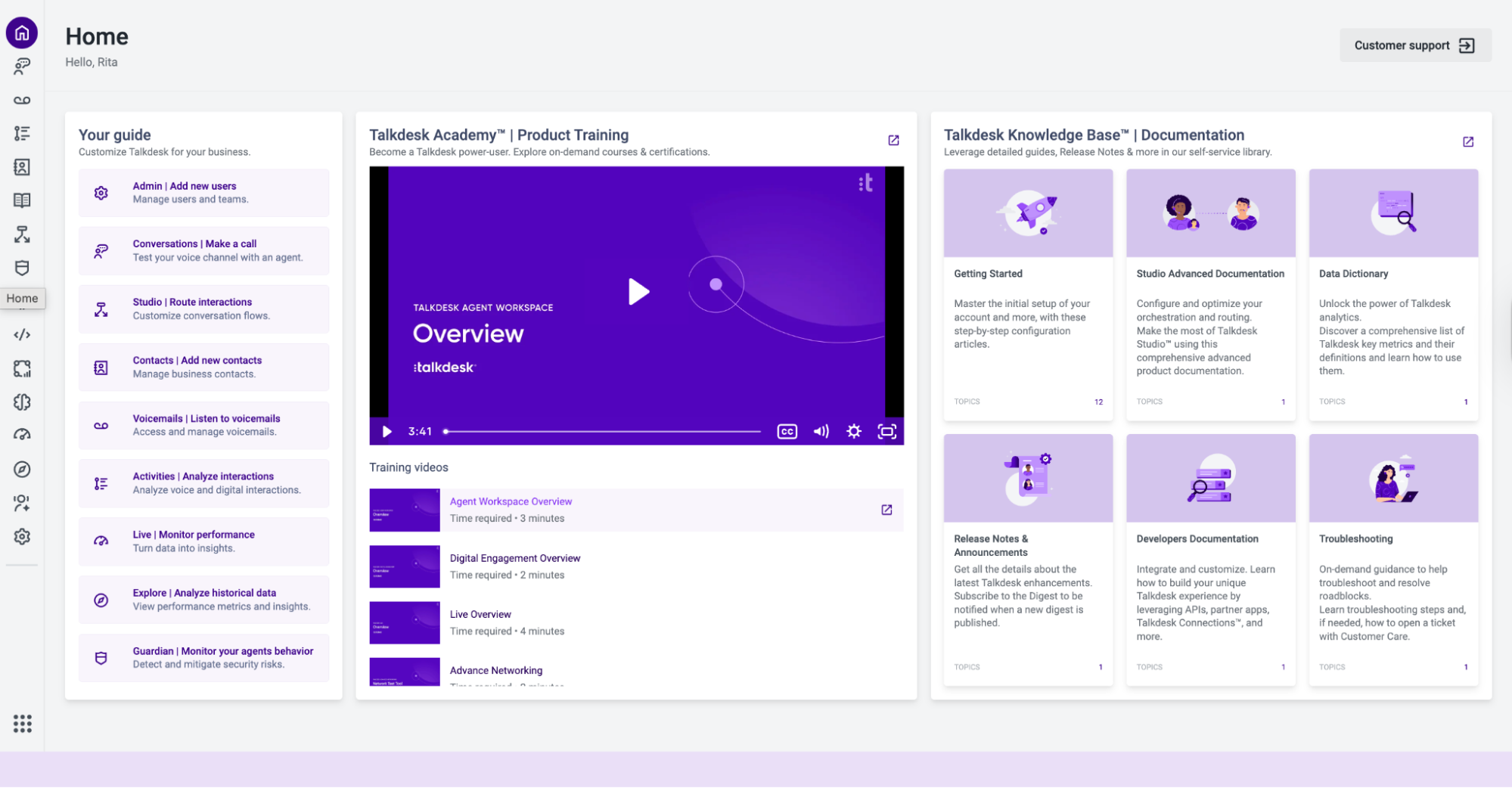
- Click on the Explore tab.
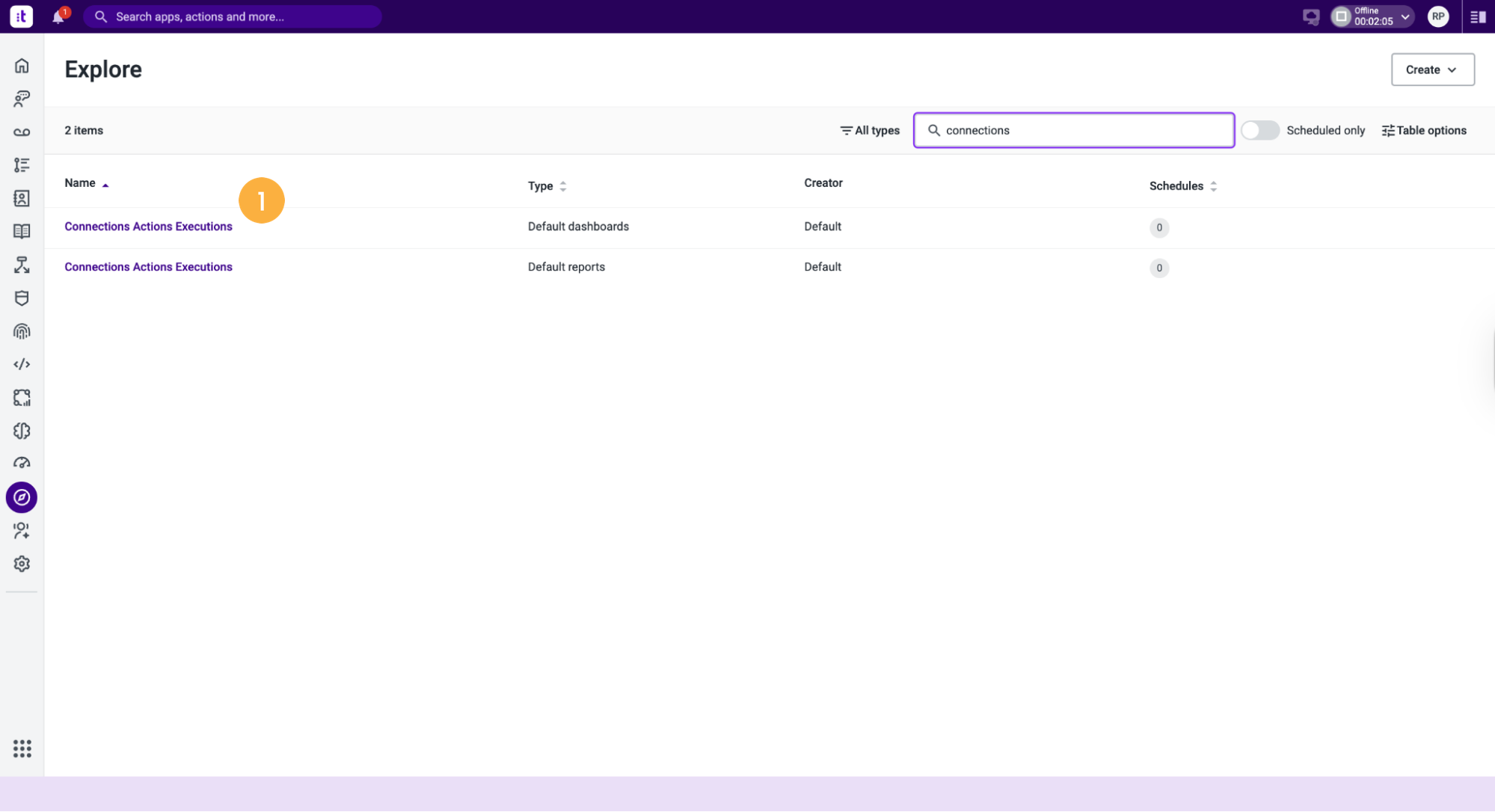
- Select Connections Actions Executions with the type "Default Dashboards" [1].
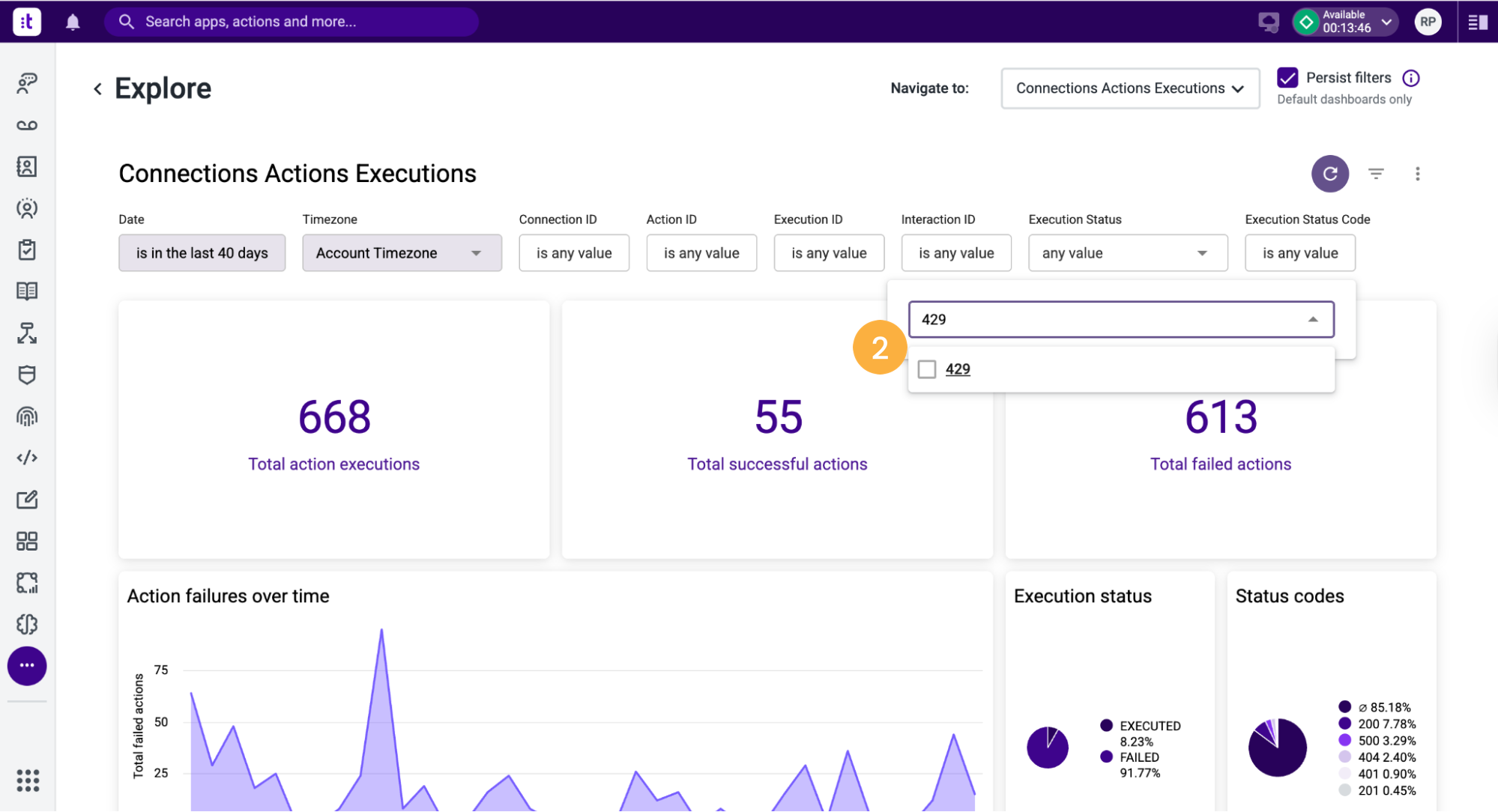
- Apply the Execution Status Code filter and select 429 [2].
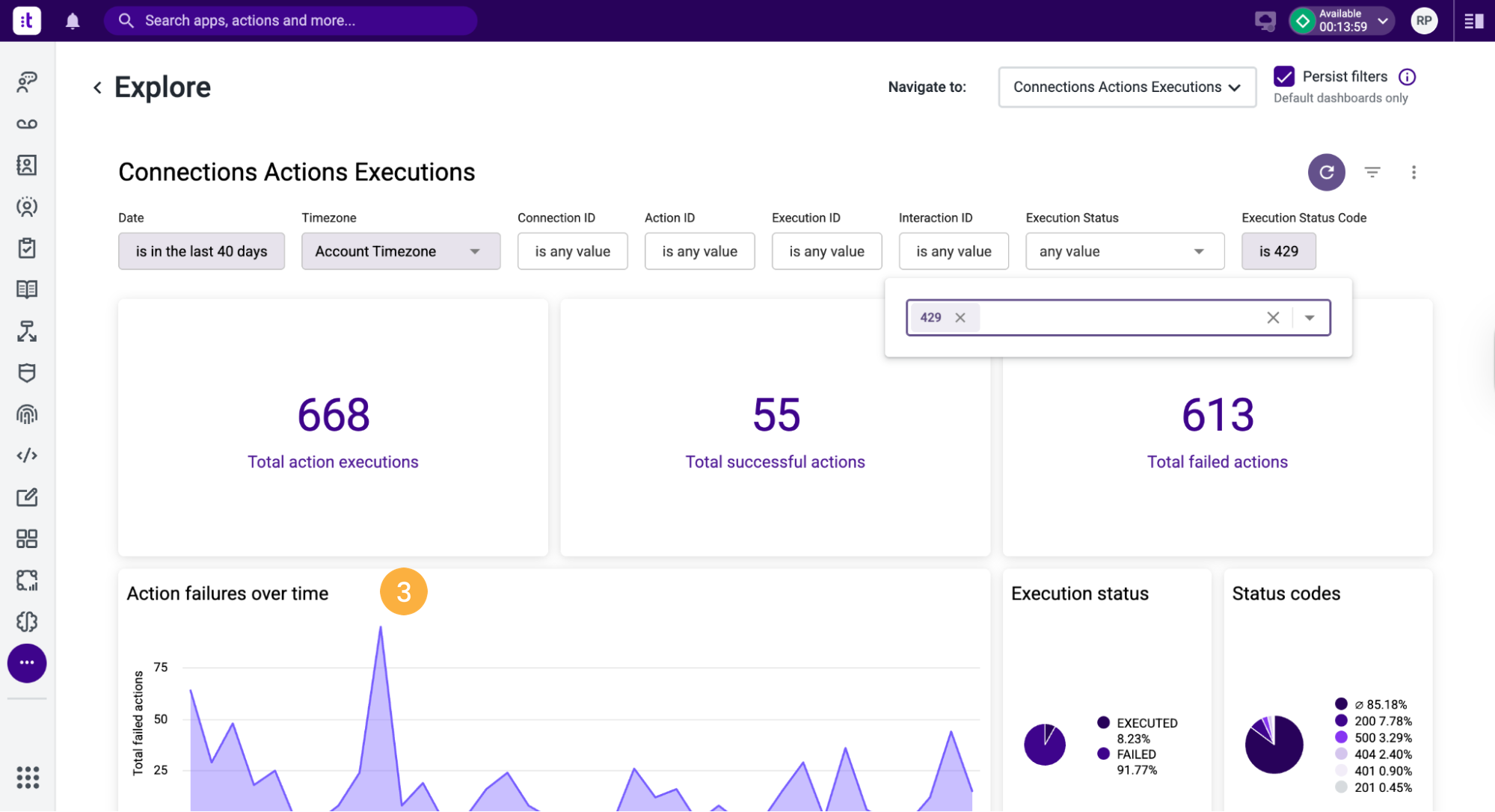
- Review the Action Failures Over Time chart to identify patterns [3].
For more information on using the Connections Executions Dashboard, refer to the Connections Executions Dashboard article.
Updated 4 months ago